


What is local dimming on a TV? If you’ve ever watched a movie and wondered why some TVs can produce pitch-black shadows alongside bright highlights that pop, the secret lies in local dimming technology. This feature, found in modern LED and QLED TVs, enhances contrast by controlling the backlight in specific areas, making the image appear far more dynamic and lifelike. Understanding what is local dimming on a TV—and the difference between full-array and edge-lit designs—is essential for choosing the right TV for movies, gaming, or HDR content. In this ultimate guide, we’ll explain the technology, compare implementations, explore practical examples, and give tips for maximizing your viewing experience.
What Is Local Dimming on a TV and How Does It Work?
Local dimming is a method that allows LED TVs to improve contrast by dimming or brightening specific areas of the backlight. Traditional LCD TVs use a uniform backlight that illuminates the entire screen evenly, which can make dark scenes look gray and washed out. By contrast, local dimming divides the backlight into zones, controlling each zone independently based on the content displayed.
For example, in a scene with a bright moon over a night sky, the zone behind the moon remains bright while the zones covering the sky dim. This separation enhances contrast and ensures that bright and dark elements coexist naturally on the screen.
Local dimming is particularly crucial for High Dynamic Range (HDR) content, where the simultaneous display of bright and dark elements is common. Without local dimming, even TVs with high peak brightness struggle to produce detailed, realistic images.
How Full-Array Local Dimming Works
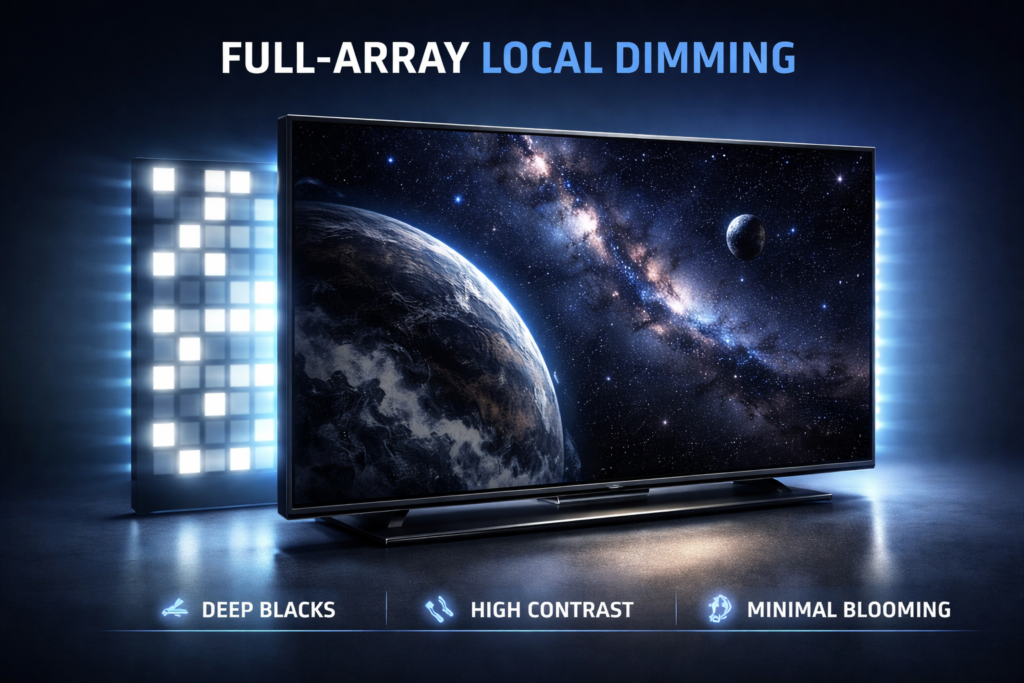
Full-array local dimming (FALD) places LEDs in a grid directly behind the screen. Each zone can be adjusted independently, allowing precise control over brightness in different parts of the image.
Advantages of Full-Array Local Dimming:
- Deep, true blacks without gray washout
- High contrast ratios for cinematic HDR content
- Minimal blooming or halo effects around bright objects
- Excellent for dark-room viewing or cinematic setups
Disadvantages:
- Thicker TV panels due to the backlight array
- Higher cost compared to edge-lit models
For example, a full-array TV displaying a space scene can keep the surrounding void pitch black while making stars or spacecraft appear brilliantly bright, creating a highly immersive experience.
What Is Local Dimming on a TV with Edge-Lit Backlights?
Edge-lit local dimming places LEDs along the edges of the screen and uses a light guide to distribute illumination. Local dimming is less precise because the LEDs are not directly behind the pixels.
Advantages of Edge-Lit Local Dimming:
- Slimmer and lighter TV designs
- More affordable than full-array models
Disadvantages:
- Less precise dimming with fewer zones
- More noticeable blooming and halo effects
- Lower contrast compared to full-array local dimming
Edge-lit local dimming works well in bright rooms and casual viewing environments but may disappoint cinephiles or gamers looking for precise dark-scene performance.
What Is Local Dimming on a TV? Key Terms to Know
Understanding local dimming requires familiarity with a few technical terms:
- Zones: Individual segments of the backlight that can be independently controlled. More zones provide finer control over contrast.
- Blooming: A halo effect that occurs when bright objects bleed into surrounding dark areas. More common in edge-lit TVs.
- Contrast Ratio: The difference between the darkest black and the brightest white a TV can produce. Local dimming dramatically improves this metric.
- Peak Brightness: The maximum brightness a TV can achieve. Local dimming allows bright zones to shine while keeping surrounding zones dim.
Real-World Performance Examples
- Movies: Dark scenes in thrillers or sci-fi films benefit most from local dimming, providing depth and cinematic feel.
- Gaming: HDR-enabled games show more detail in shadows while highlights remain sharp and realistic.
- Bright Content: Sports and brightly lit scenes can appear more vibrant with edge-lit dimming, though full-array still offers superior uniformity.
Pro Tip: Aggressive local dimming in low-cost TVs can occasionally cause flickering during fast motion, so checking reviews is important.
How Many Zones Are Ideal for Local Dimming?
The number of dimming zones directly affects performance:
- Few Zones (8–32): Basic dimming, noticeable blooming.
- Moderate Zones (64–128): Balanced performance with good contrast.
- High Zones (200+): Highly precise dimming, minimal blooming, excellent HDR reproduction.
While manufacturers advertise zone counts, actual performance also depends on the dimming algorithm used. High zone count alone does not guarantee perfect results.
Local Dimming and HDR: Why It Matters
HDR content spans a wide range of brightness levels. Local dimming allows TVs to maintain detail in both shadows and highlights simultaneously.
Example: In a dark Netflix HDR film like The Midnight Sky, stars can shine brightly against a pitch-black sky, enhancing realism. A TV without local dimming would produce dull stars and gray shadows, flattening the cinematic experience.
Tip: To fully benefit, use HDR-capable streaming devices or apps like Roku, Fire TV, or Google TV.
Full-Array vs Edge-Lit Local Dimming: Visual Differences
- Full-Array: Precise zones reduce blooming and maintain deep blacks. Ideal for home theaters or gaming rooms.
- Edge-Lit: Limited zones, potential halos around bright objects, better suited for casual viewing in well-lit rooms.
Image suggestion: Include a diagram comparing Full-Array vs Edge-Lit Local Dimming with alt text: “what is local dimming on a tv comparison diagram”. This helps visualize zone differences for readers.
Local Dimming in QLED and OLED TVs

QLED TVs
QLED TVs use quantum dots atop LED backlights. Combining full-array local dimming with quantum dots produces bright highlights and deep blacks, ideal for HDR movies and sports.
Example: Watching a football match, a full-array QLED can render the green pitch vibrantly while shadows under the stands remain true black.
OLED TVs
OLED TVs don’t need local dimming because each pixel emits its own light. True blacks are achieved naturally, with no blooming. Algorithms inspired by local dimming help manage HDR brightness for consistent performance.
Example: Nighttime cityscapes appear with glowing windows and dark streets without halo effects, something even high-end edge-lit TVs may struggle with.
Common Misconceptions About Local Dimming
- All local dimming is the same: Zone count and algorithms differ widely; edge-lit TVs often underperform despite marketing claims.
- It only affects dark scenes: Local dimming also enhances bright highlights, making HDR more dynamic.
- More expensive always means better: Mid-range full-array TVs can outperform premium edge-lit models.
Tips for Getting the Most Out of Local Dimming
- Enable HDR mode when available.
- Adjust backlight and brightness settings to reduce blooming.
- Sit at an appropriate distance; see How Far Should You Sit From a 65-Inch TV? for guidance.
- Dim room lighting for cinematic experience.
- Pair with streaming devices or apps that support 4K HDR content.
Maximizing Your TV Setup
Local dimming is only one part of an optimal viewing experience. Pair it with high-quality soundbars, like those in Best Soundbars for Smart TVs – 2026 Guide, and smart home lighting control for a theater-like environment. Ensuring your smart TV or streaming device supports HDR and 4K ensures you fully utilize local dimming technology.
Outbound Resources
For deeper technical insights:
- FlatPanelsHD offers detailed tests on local dimming performance across various TVs.
- TechHive explains how zone-based backlighting improves HDR and cinematic viewing.
Conclusion: Why Understanding What Is Local Dimming on a TV Matters
So, what is local dimming on a TV? It’s the feature that enables precise contrast control, enhances black levels, and optimizes HDR content. Full-array local dimming provides the most accurate performance, minimal blooming, and a true cinematic experience. Edge-lit dimming is more affordable and thinner but sacrifices some precision and contrast.
When choosing a TV, consider zone count, HDR compatibility, room lighting, and content type. Pairing your TV with high-quality HDR content and a proper viewing setup ensures you experience every bright highlight and deep shadow as the creators intended. Understanding local dimming allows you to make a smarter, more informed choice, whether you’re watching films, gaming, or streaming sports.
Frequently Asked Questions
Local dimming is a feature that controls LED backlight zones independently to improve contrast, deepen blacks, and enhance HDR performance on TVs.
Full-array places LEDs behind the screen with independent zones for precise dimming, while edge-lit positions LEDs at the edges, resulting in less precise contrast control.
No. OLED panels emit light per pixel, naturally achieving perfect blacks without local dimming, though algorithms may enhance HDR brightness.
Local dimming enhances HDR by making dark areas darker and bright areas brighter, improving contrast and realism in movies, games, and streaming content.
Full-array local dimming TVs are ideal for cinematic and gaming experiences, while edge-lit TVs are suitable for casual viewing in bright rooms.


Comments are closed.
[…] your TV to fully interpret these signals, maximizing visual quality. You can also explore how local dimming complements HDR […]
[…] If you want a deeper breakdown, check this detailed guide on local dimming technology: […]