Best Smart Home Cleaning Tips for a Perfect Entertainment Setup in 2026 – Keep Your Living Room TV Ready and Dust-Free

A modern smart home is no longer just about having the latest TVs, streaming devices, and connected gadgets. It is also about maintaining a clean, organized, and comfortable environment where your entertainment setup can truly shine. Dust, clutter, and poor cleaning habits can quietly ruin your viewing experience, reduce device lifespan, and even affect the performance of your smart TVs and home theater systems.
In this guide, we explore how to maintain a clean, optimized entertainment space while keeping your smart home devices in top condition. We will also look at why professional cleaning services can play an important role in maintaining a healthy and visually pleasing home environment.
Why Cleanliness Matters in a Smart TV Entertainment Setup
Modern TVs, especially large 4K and OLED displays, are sensitive to dust and environmental conditions. Dust accumulation is not just a cosmetic issue—it can actually impact performance over time.
When your TV area is not cleaned regularly, you may notice:
- Reduced screen clarity due to dust layers
- Overheating in tightly enclosed TV stands
- Reduced lifespan of soundbars and streaming devices
- Cable clutter affecting airflow and aesthetics
Even streaming performance can feel less enjoyable when your environment is messy, because visual distractions reduce immersion.
A clean setup enhances both the technical performance and emotional experience of your entertainment space.
How Dust Affects Modern Smart TVs and Devices
Smart TVs and connected devices like Apple TV, Fire TV, or gaming consoles generate heat during use. When dust builds up around them, it can block ventilation and reduce cooling efficiency.
Common issues caused by dust buildup:
- Slower device performance due to overheating
- HDMI port connectivity issues
- Fan noise increase in gaming consoles
- Reduced lifespan of internal components
Even premium TVs benefit from regular cleaning and airflow management.
For users interested in optimizing their setup further, understanding display and hardware performance is important. For example, technologies like OLED and Mini-LED behave differently in heat and brightness conditions. You can explore this further in our guide on TV display technologies:
https://shaamtv.com/oled-vs-qled-vs-led-which-tv-technology-should-you-buy-in-2026/
Building a Clean Smart Home Entertainment Zone
A well-maintained entertainment setup is not just about cleaning—it is about designing a smart, clutter-free environment.
Key elements of a clean setup include:
- Proper cable management behind the TV
- Minimal dust collection surfaces
- Ventilated TV stand or wall mount placement
- Regular screen cleaning using microfiber cloths
- Controlled lighting to reduce visual strain
Keeping your space organized makes your smart TV experience significantly more enjoyable.
Smart Cleaning Habits for TV Owners
If you own a modern smart TV, adopting a few simple cleaning habits can make a huge difference.
Weekly habits:
- Dust the TV frame and stand
- Wipe remote controls and controllers
- Clean surrounding furniture surfaces
Monthly habits:
- Clean behind the TV and entertainment unit
- Check cables for dust and tangling
- Inspect ventilation spaces
Important tip:
Never spray cleaning liquid directly onto the TV screen. Always use a dry or slightly damp microfiber cloth.
Why Professional Cleaning Services Matter for Smart Homes
While regular home cleaning helps, professional cleaning services offer deeper and more effective maintenance. This is especially useful for homes with large entertainment setups, multiple rooms, or busy lifestyles.
Professional cleaners can:
- Remove deep dust from hard-to-reach areas behind TV units
- Clean carpets and surfaces that trap airborne dust
- Improve indoor air quality
- Reduce allergens that accumulate near electronics
A cleaner environment directly benefits your smart home devices by reducing dust exposure and overheating risks.
For residents in Sweden looking for reliable cleaning support, Gefle Städ Service offers professional home and office cleaning solutions designed to keep living spaces fresh, organized, and well-maintained.
👉 Learn more about their services here: https://flyttstadgavle.se/
Smart TV Placement and Cleaning Efficiency
Where you place your TV also affects how clean your setup stays over time.
Best placement practices:
- Avoid placing TVs near windows (reduces dust and sunlight damage)
- Keep TVs away from kitchens (reduces grease buildup)
- Use wall mounts to reduce surface dust accumulation
- Ensure at least 10–15 cm ventilation space behind devices
A well-planned setup reduces cleaning frequency and improves device longevity.
How Smart Homes Are Changing Cleaning Needs
As homes become more connected, cleaning requirements are also evolving. Smart speakers, streaming devices, routers, and gaming consoles all contribute to a more complex entertainment environment.
This means:
- More cables = more dust traps
- More devices = more heat sources
- More usage = more maintenance needs
Smart homes require smarter cleaning strategies.
Linking Clean Environments to Better Entertainment Experience
A clean home does more than just look good—it improves how you experience entertainment.
When your TV area is clean:
- Colors appear sharper on the screen
- Sound feels clearer without obstruction
- You focus more on content, less on distractions
- Devices run more efficiently
This creates a more immersive movie, gaming, or streaming experience.
Smart Devices That Help Maintain Clean Entertainment Spaces
Modern smart homes can even assist in maintaining cleanliness:
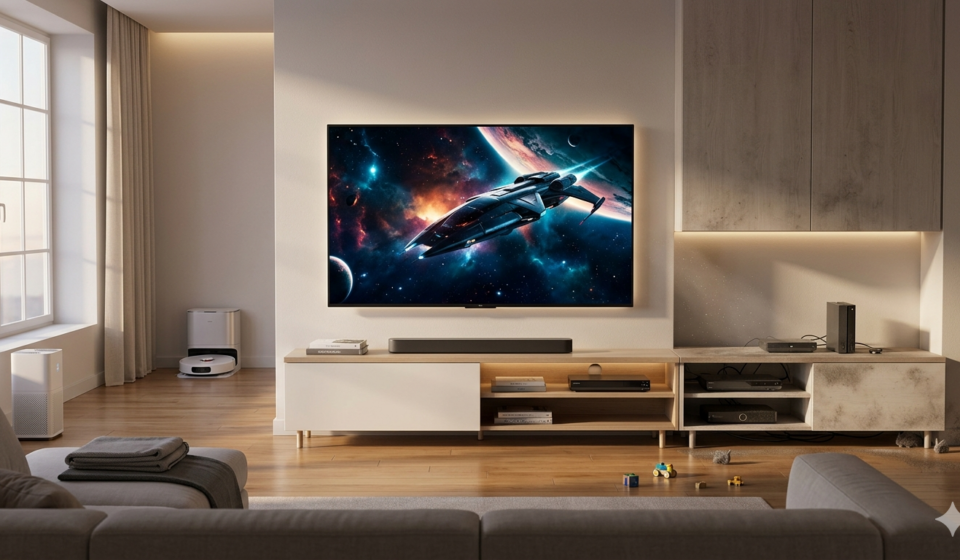
- Robot vacuums that clean under TV stands
- Air purifiers that reduce dust particles
- Smart plugs to control device power cycles
- Cable organizers designed for entertainment systems
When combined with regular cleaning routines, these devices help maintain a healthier setup.
Final Thoughts
A modern smart TV setup is more than just technology—it is part of your living environment. Keeping it clean ensures better performance, longer device lifespan, and a more enjoyable viewing experience.
While daily maintenance helps, professional cleaning services can elevate your home environment to the next level. For users in Sweden, companies like Gefle Städ Service provide reliable and efficient cleaning solutions that support both everyday living and smart home setups.
A clean space is not just visually better—it is smarter, healthier, and more enjoyable for everything from movie nights to gaming sessions.
FAQ Questions & Answers
What are the best smart home cleaning tips for TV setups?
The best smart home cleaning tips include regular dusting of your TV area, proper cable management, ensuring good ventilation around devices, and using microfiber cloths for screens.
How often should I clean my smart TV area?
You should do light cleaning weekly to remove dust and a deeper clean once a month to prevent buildup around your TV, soundbar, and streaming devices.
Does dust affect smart TV performance?
Yes, dust can block ventilation, cause overheating, and reduce the long-term performance and lifespan of your smart TV and connected devices.
Are professional cleaning services useful for smart homes?
Yes, professional cleaning services help remove deep dust, improve indoor air quality, and maintain a healthier environment for your smart home setup.
Can cleaning improve my TV viewing experience?
Absolutely. A clean TV area improves screen clarity, reduces visual distractions, and makes movies, gaming, and streaming more immersive.